SQL SERVER / RANSOMWARE RECOVERY
Ransomware-Affected SQL Server: Can MDF/LDF Data Still Be Extracted?
What should RFC examine after SQL Server ransomware? Distinguish clean sources, legitimate keys/decryptors and readable-region extraction, then validate business data.
#TEKLink208 | Link.TUNGTEK.com/208
Read the analysis →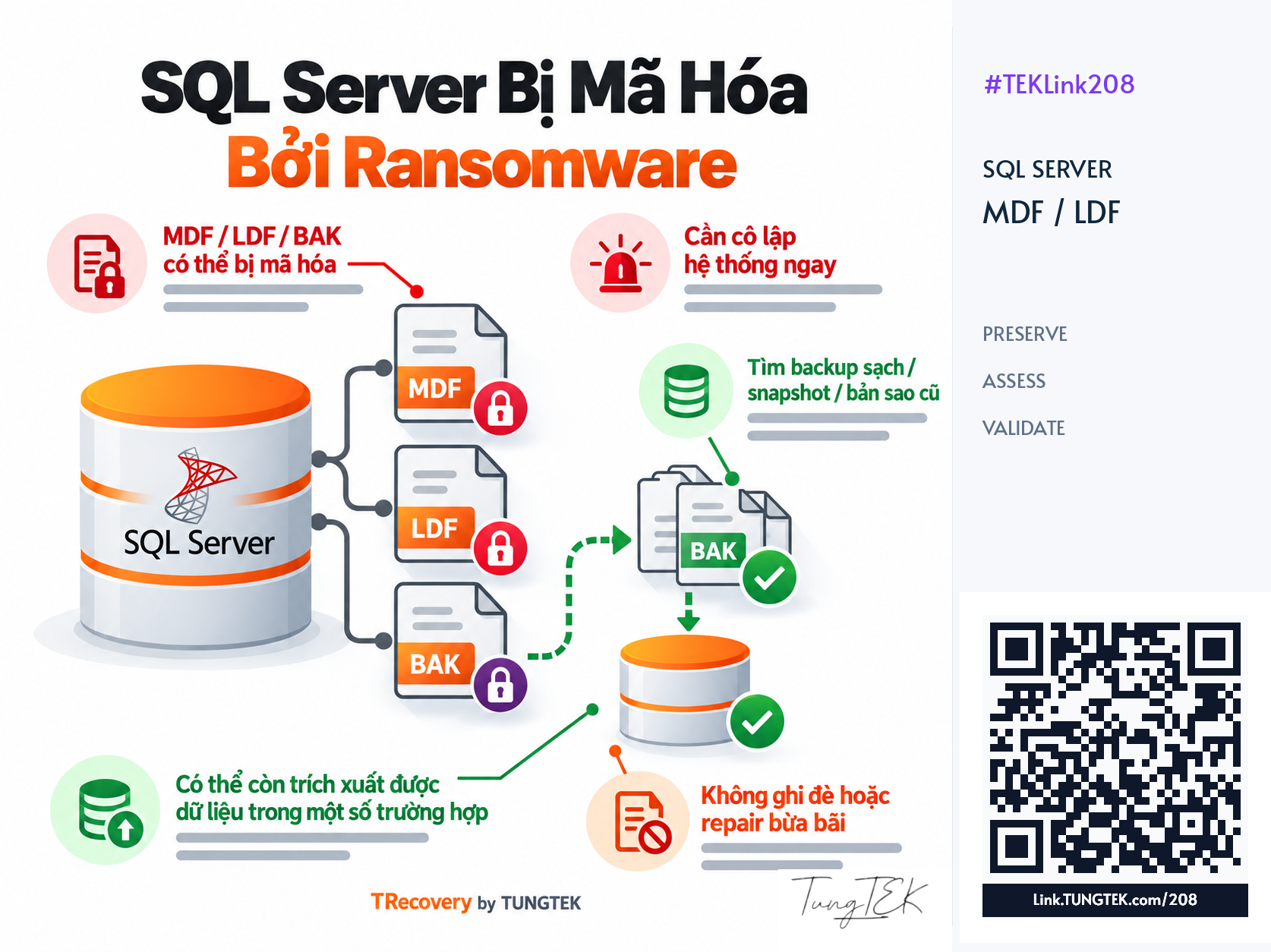
Article contents
Ransomware can make SQL Server MDF/NDF/LDF files, backups or virtual disks inaccessible. Extraction depends on affected regions, surviving structure, legitimate keys and clean sources. RFC should establish these conditions before selecting a path; practical usability follows from data and application validation.
Preserve Sources and Begin With RFC
#RFC — Ransomware Fast Check — assesses condition, usable sources and paths requiring tests. For SQL Server, establish affected MDF/NDF/LDF regions, surviving structure and priority business data. Tie findings to the specific samples, file set and assessment time.
For suspected active ransomware, coordinate isolation of impacted systems and evidence preservation. CISA notes that shutdown can lose memory evidence; weigh it against isolation options and the response plan. Retain notes, files, logs and attempted actions, then test suitable working copies.
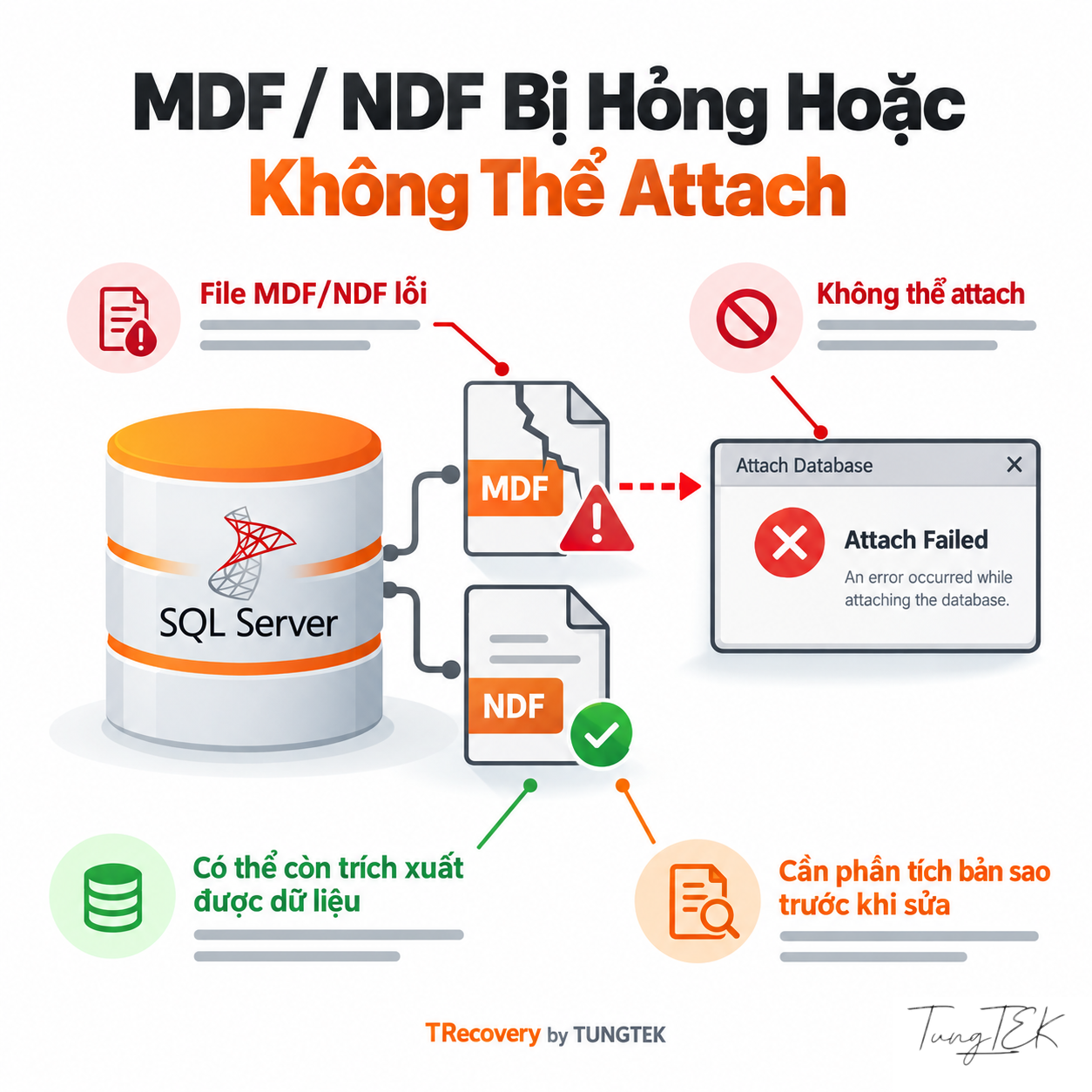
Changing an extension back or repeating attachment attempts does not establish recovery feasibility. A sample can guide initial analysis, but assess the complete database set before implementation.
References: CISA — #StopRansomware Guide · Microsoft Learn — Database Detach and Attach · CuuDuLieuMaHoa.com — Public PIZ Assessment Overview
What Do Post-Incident SQL States Establish?
#| State | Assessment Meaning |
|---|---|
| SUSPECT | Startup recovery failed; the primary filegroup may be damaged. Review the ERRORLOG cause. |
| RECOVERY PENDING | Resource/file obstacles during recovery; not proof of corruption or encryption. |
| RECOVERING | Recovery is in progress. Monitor progress and new messages. |
Swipe horizontally to read the table on small screens.
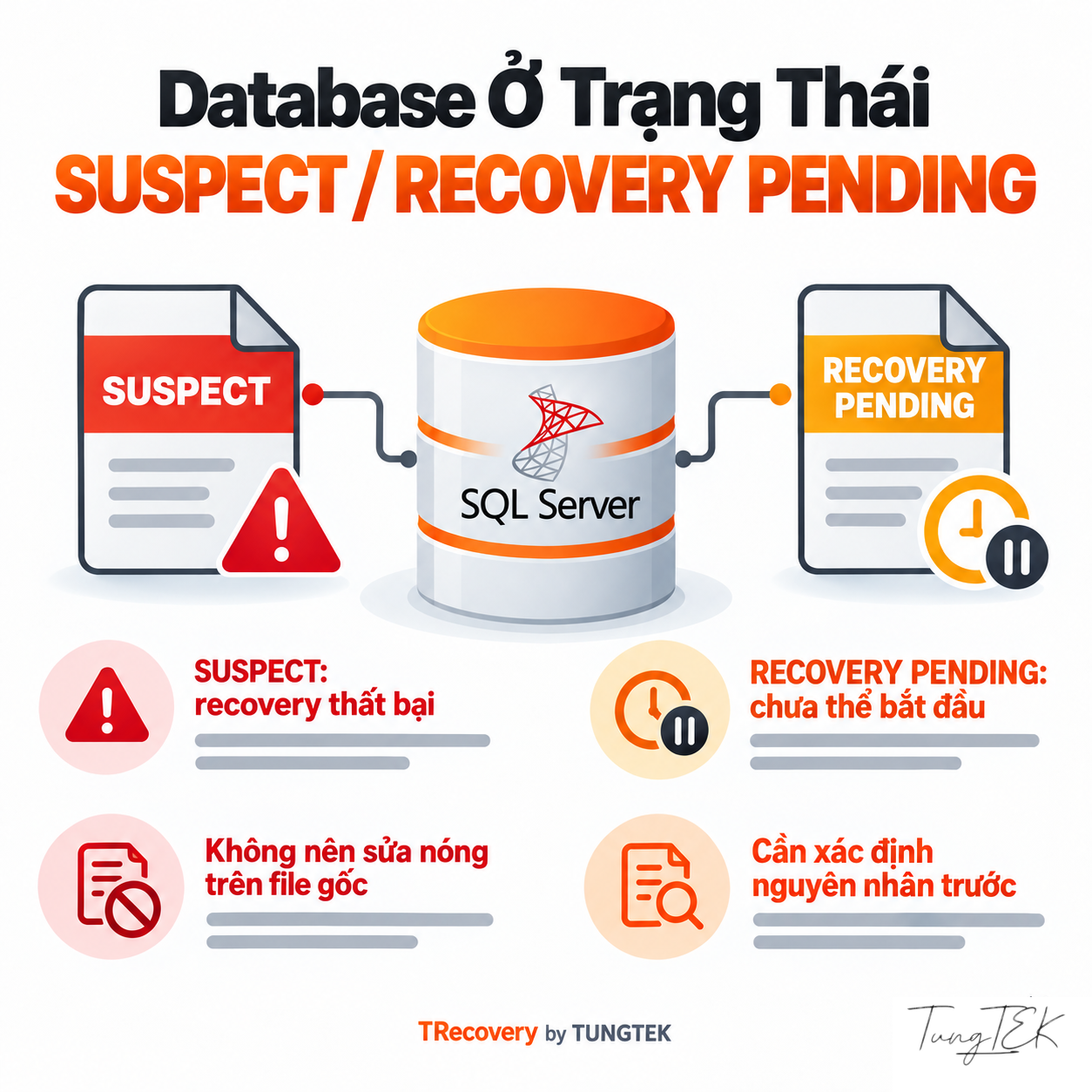
Ransomware-affected environments can also have permission errors, missing files or unstable storage. EMERGENCY is a restricted diagnostic mode, not confirmation of recovered data. Record state and time rather than choosing repair from the state name.
References: Microsoft Learn — Database States
Retain SQL Errors, System Logs and Storage Evidence
#| Code | Correlate With |
|---|---|
| 823 | OS-reported I/O failure: retain OS code, file name, offset and time. |
| 824 | An I/O consistency check fails: record page/file, checksum or the specific failed check. |
| 825 | A read succeeds after retry: still investigate I/O even before the application fully stops. |
Swipe horizontally to read the table on small screens.
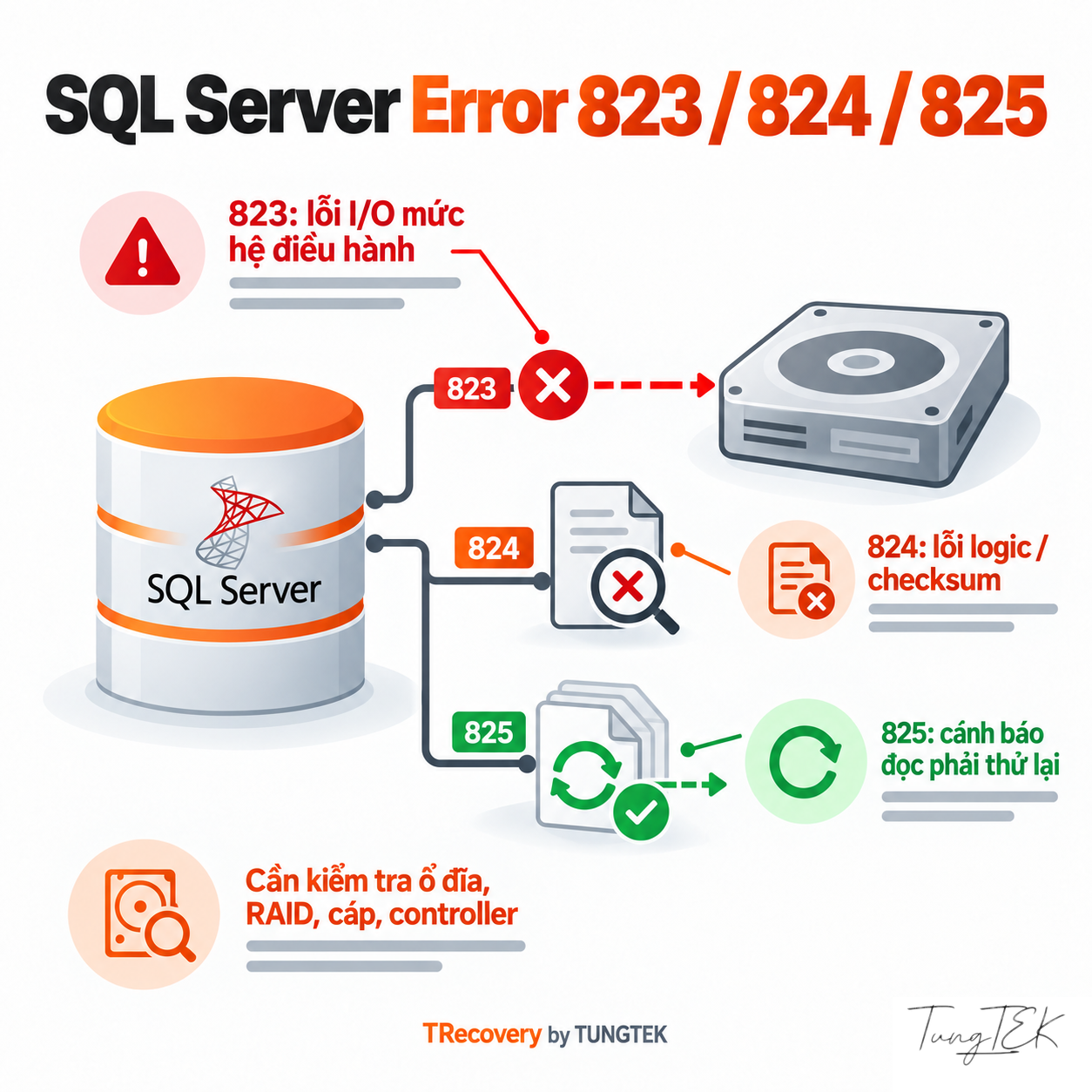
Correlate SQL ERRORLOG, Windows Event Logs and available page-error history; msdb.dbo.suspect_pages is one supporting source. Preserve transaction-log processing details for 9004. For 5171, verify the primary data file; file-opening errors such as 5120 need the OS message. Separate storage evidence from encryption hypotheses to avoid addressing the wrong layer.
Available process, service and network records can help reconstruct events. Data RFC and intrusion investigation can inform each other, but one encrypted file cannot establish every attacker action.
References: Microsoft Learn — MSSQLSERVER_823 · Microsoft Learn — MSSQLSERVER_824 · Microsoft Learn — MSSQLSERVER_825 · Microsoft Learn — MSSQLSERVER_9004 · Microsoft Learn — Database Engine Events and Errors 5000–5999 · Microsoft Learn — Manage the suspect_pages Table
Why Do Intact Pages Not Establish Complete Tables?
#SQL Server stores data in MDF/NDF and transaction-recovery information in LDF. Data can span several files. Traditional pages are 8 KiB with 96-byte headers; metadata and allocation maps such as PFS/GAM/SGAM/IAM help interpret objects.
For extraction assessment, readable record pages need sufficient context: their table, column types, page relationships and surviving LOB contents. A small affected metadata region may impair access to many objects. Unchanged bytes do not directly measure valid business documents.
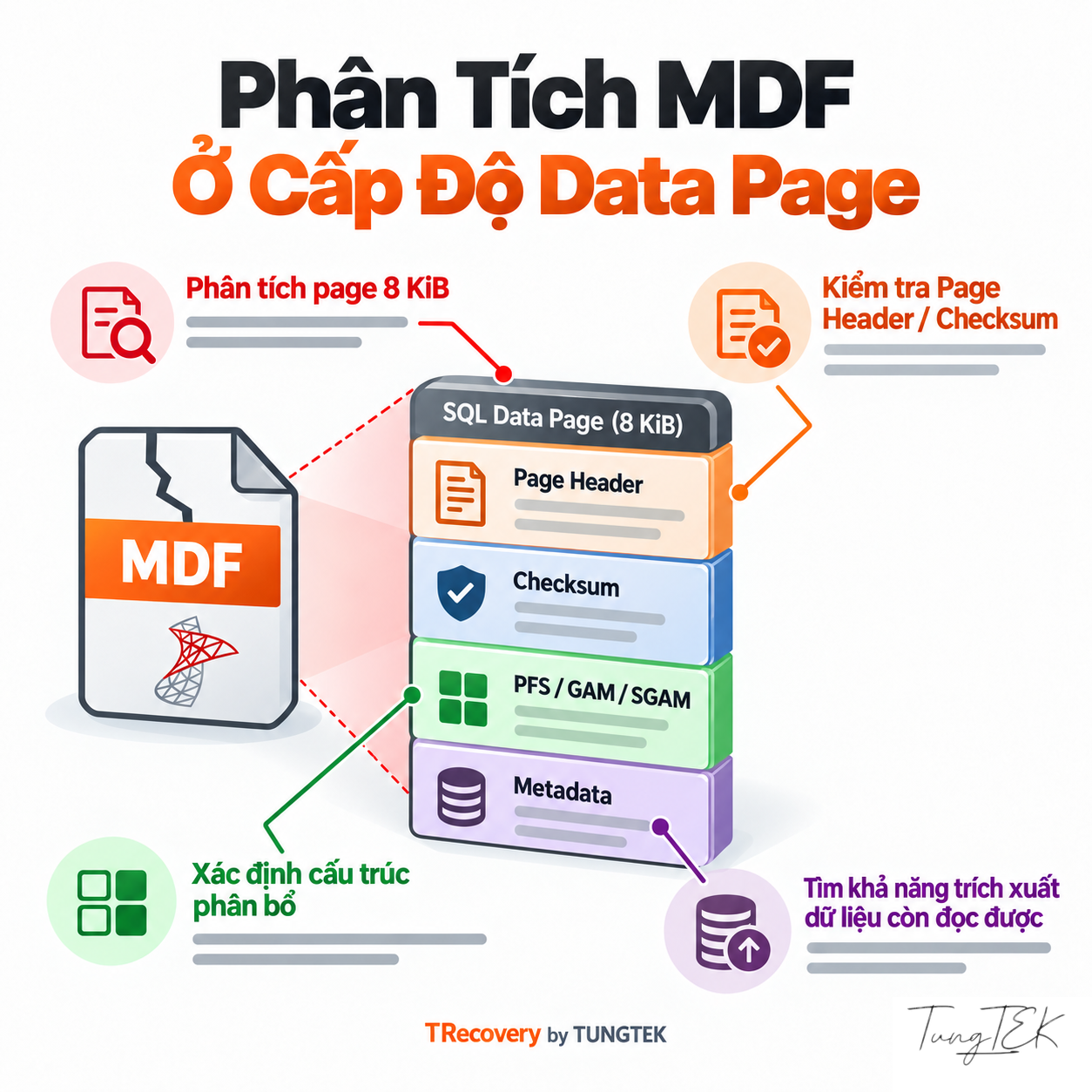
When VMDK/VHDX or a RAID/NAS/SAN volume is affected, assess storage sources before conclusions about MDF. Distinguish host/datastore layers from the guest file system; incomplete acquisition can add ambiguity to database analysis.
References: Microsoft Learn — Database Files and Filegroups · Microsoft Learn — Page and Extent Architecture Guide · Microsoft Learn — The Transaction Log
Prioritize Clean Sources, Check Backups and Preserve LDF
#Inventory full/differential/log backups, independent copies and snapshots by source, time and access. No More Ransom recommends checking backup and destination cleanliness before restoration. A copy inside the compromised area is not inherently trustworthy.
Recovery model and backup sequence govern assessable restore paths. RESTORE VERIFYONLY checks completeness/readability, not an actual restore or full structural validation. A readable BAK or normal file size does not establish complete business data.
Retain the LDF where available. FOR ATTACH_REBUILD_LOG requires a read/write database, clean shutdown and all MDF/NDF files; it breaks the log-backup chain. It is not a universal procedure for crashed, incomplete or encrypted databases. The transaction log is not a complete MDF copy.
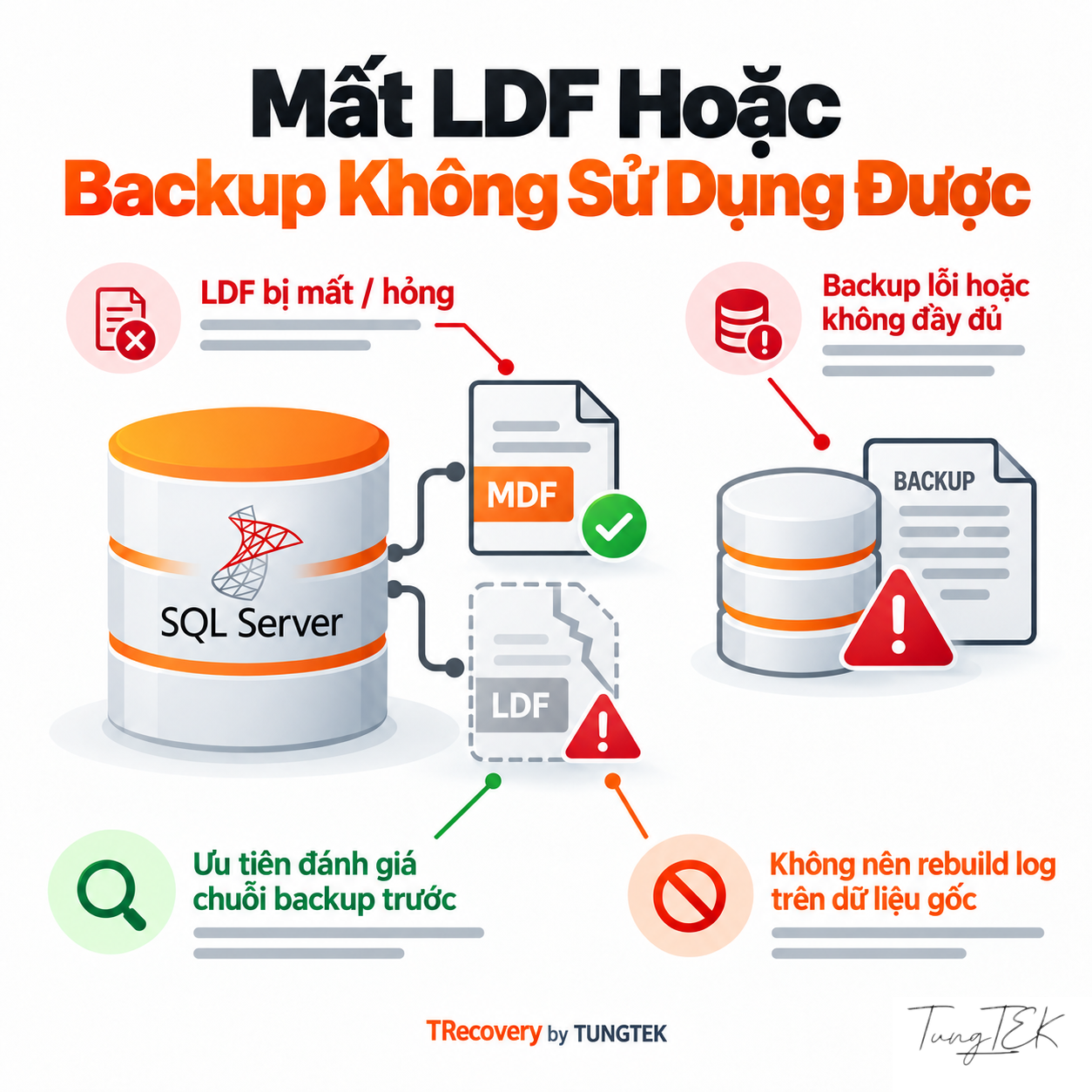
SQL Server database snapshots depend on their source and do not replace independent backups. Assess VM snapshots with disk chains, timestamps and application state; preserve sources until these checks finish.
References: Microsoft Learn — Backup Overview · Microsoft Learn — RESTORE VERIFYONLY · Microsoft Learn — Database Snapshots · Microsoft Learn — CREATE DATABASE: ATTACH_REBUILD_LOG · No More Ransom — Mitigation Steps for Businesses
Distinguish Decryption, Restore and Readable-Region Extraction
#| Path | Prerequisites to Verify |
|---|---|
| Decryption with a legitimate key/decryptor | Correct variant and usable key or flaw; follow instructions on working copies. |
| Clean-source restoration | Unaffected source, suitable backup and validated restore result. |
| Readable-region extraction | Pages, metadata, LOB and secondary files sufficient to interpret objects. |
Swipe horizontally to read the table on small screens.
No More Ransom lists tools for specific ransomware families with individual instructions. A matching tool name does not establish variant compatibility or a key for every file. Contain active malware to avoid repeat encryption and test copies before broader use.
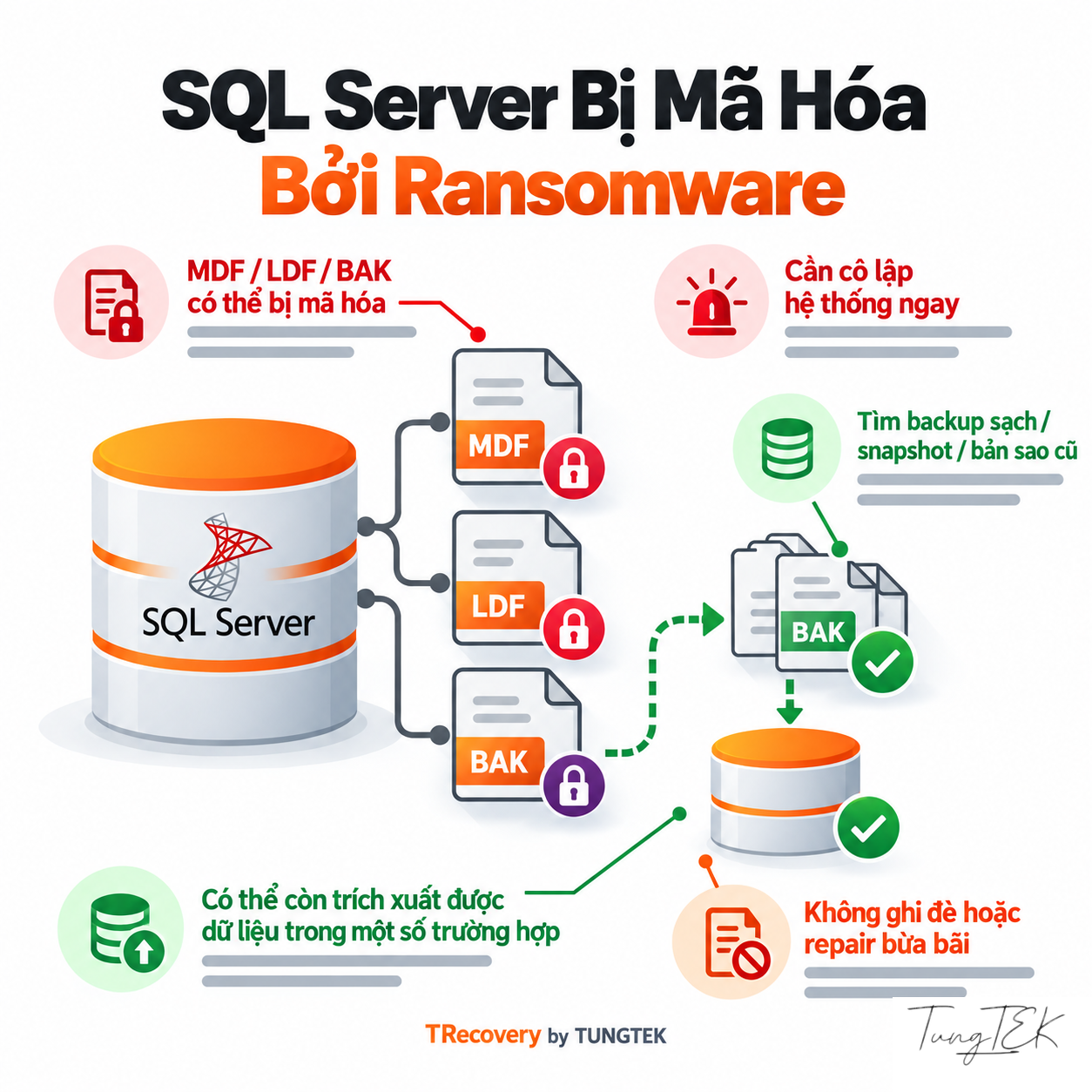
Whole-file, block-based and intermittent encryption require verification on actual data. If strong encryption correctly covers all contents, no suitable key or usable alternative source may mean no plaintext recovery. Metadata repair cannot replace cryptographic decryption; unaffected regions still require structural validation.
TDE is legitimate SQL Server encryption, distinct from ransomware. Moving a certificate-protected database requires the correct certificate/private key; EKM requires corresponding key access. RFC must identify both TDE and ransomware impact where they coexist, while protecting key material.
References: No More Ransom — Ransomware Q&A · No More Ransom — Decryption Tools · Microsoft Learn — Transparent Data Encryption · Microsoft Learn — Move a TDE-Protected Database · Microsoft Learn — Page and Extent Architecture Guide
Seven Steps for Assessment and Validated Extraction
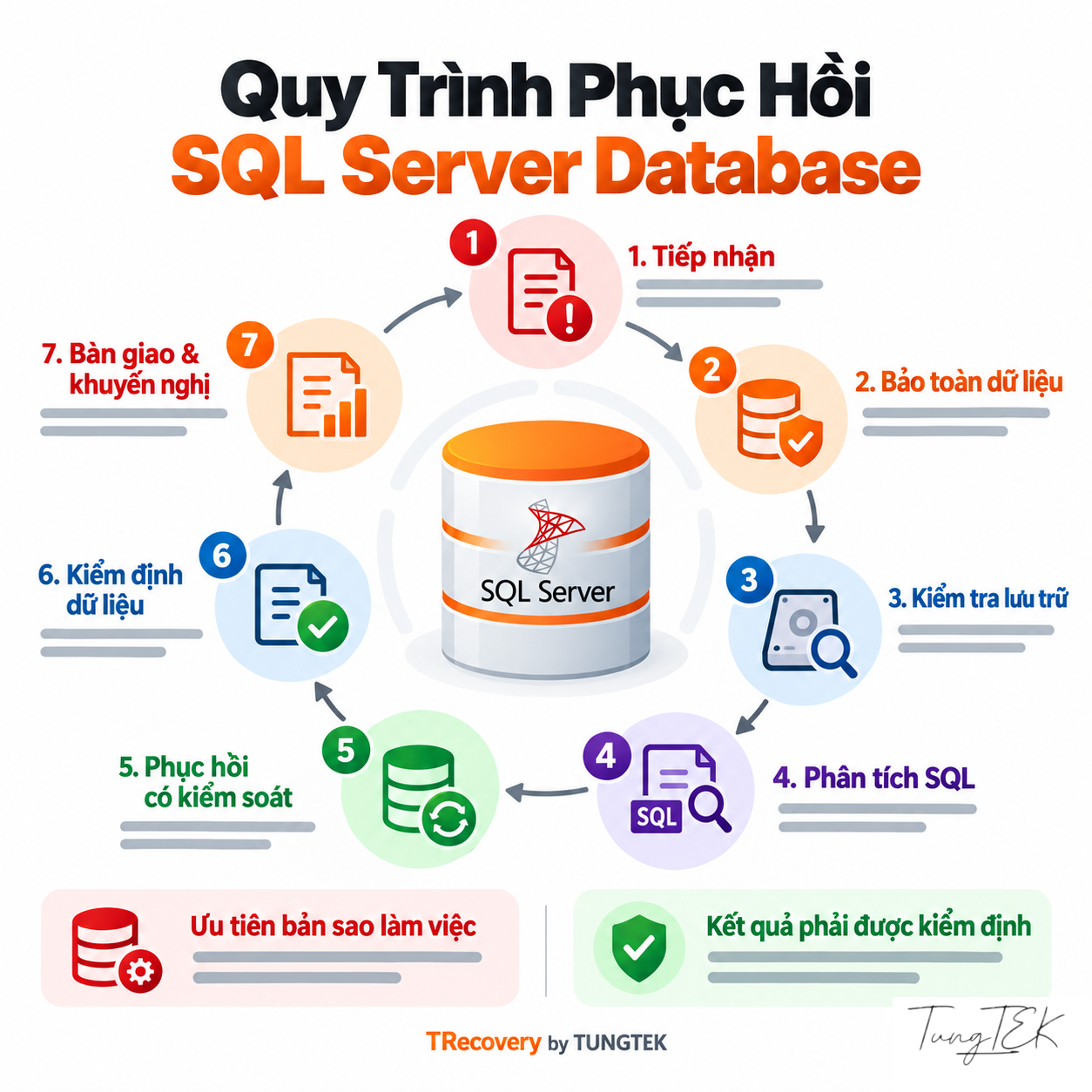
#These steps align the data owner, DBA and response team on decisions. Record evidence and unresolved questions at each stage.
- Scope the incident
Identify involved hosts/volumes, isolate ongoing impact and control additional writes under the response plan.
- Preserve sources
Retain files, ransom notes and logs; acquire suitable copies/images, inventory them and verify where practical.
- Perform scoped RFC
Inspect representative samples, file sets, storage, backups, TDE and changed regions; state sample limitations.
- Select sources and a path
Assess legitimate keys/decryptors, clean restoration or readable-data extraction; test working copies.
- Process priorities
Handle the agreed dataset scope, separate outputs and record retrieved tables/records and omissions.
- Validate technically and operationally
Reconcile databases, relationships, documents and applications in isolation with an authorized owner.
- Deliver and restore operations
Report verified data, omissions and limitations; use the environment checked by the system administrator.
References: CISA — #StopRansomware Guide · No More Ransom — Mitigation Steps for Businesses · Microsoft Learn — Troubleshoot Database Consistency Errors · Microsoft Learn — DBCC CHECKDB
Validate Against the Database and Actual Business Records
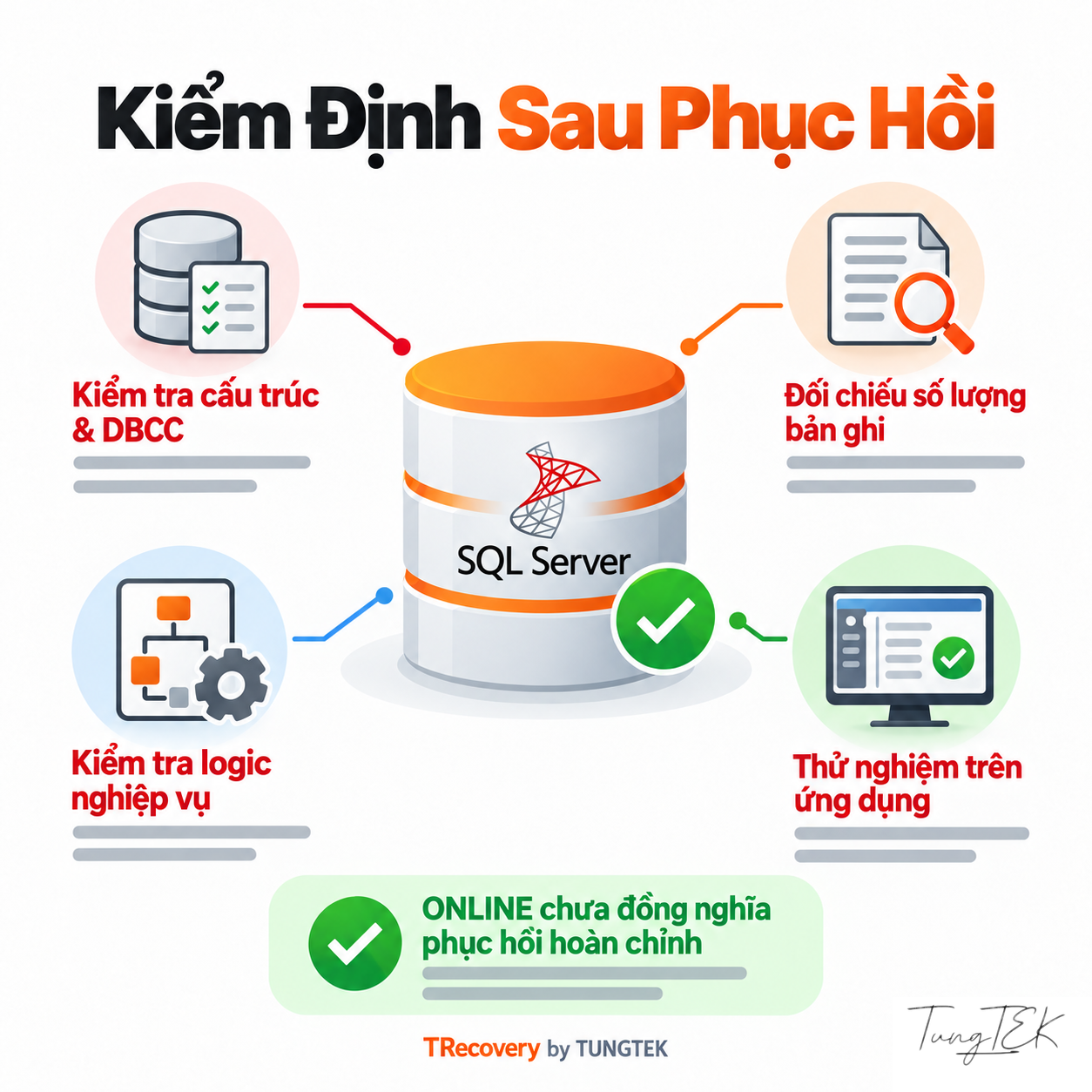
#ONLINE or successful attachment establishes accessibility. Acceptance must identify retrieved data, remaining gaps and practical usability.
- Technical: DBCC CHECKDB where appropriate; examine schema, tables, row counts, keys/constraints and LOB.
- Business: reconcile periods, documents, inventory/receivables or relevant measures against actual references.
- Application: test connections, permissions and workflows in isolation before returning to service.
DBCC CHECKCONSTRAINTS helps validate FOREIGN KEY/CHECK constraints; business rules still require reconciliation. REPAIR_ALLOW_DATA_LOSS is a last resort when a good backup cannot be restored and may remove data or leave inconsistencies. Preserve sources first and validate every repair/extraction result.
References: Microsoft Learn — DBCC CHECKDB · Microsoft Learn — DBCC CHECKCONSTRAINTS · Microsoft Learn — Troubleshoot Database Consistency Errors
Sample RFC and Whole-System Recovery Scope
#| Assessment Stage | What Can Be Established |
|---|---|
| Sample RFC | Sample condition, affected regions, inspectable structure and paths worth testing. |
| Dataset processing | Actual tables/records or objects retrieved within the implemented scope. |
| Usability acceptance | Business reconciliation, application tests and remaining gaps. |
| System recovery | Environment, accounts, applications and operations need their own checks and plan. |
Swipe horizontally to read the table on small screens.
Favorable findings on one sample do not represent every MDF/NDF/LDF or the entire server. If an RFC indicator is used, specify its denominator, assessed object and time. Do not convert a structure/byte indicator into recovered-document percentages.
Unauthorized access, persistence and suspected exfiltration require separate investigative evidence. Database extraction does not establish a clean infrastructure or substantiate the attacker’s claims.
References: CuuDuLieuMaHoa.com — Public PIZ Assessment Overview
RFC Intake Checklist
#Begin with errors and infrastructure information to agree on sample scope. Before transfer, prepare:
- Discovery time, affected servers/volumes, operating condition and isolation actions.
- SQL Server version/build, recovery model if known, applications and priority modules.
- MDF/NDF/LDF, BAK/TRN, additional containers, snapshots/copies and file relationships.
- Original ransom note, extension and authorized encrypted samples; corresponding original files if available.
- Available SQL ERRORLOG, Windows Event Logs, EDR/network logs; attempted actions and changed files.
- HDD/SSD/RAID/NAS/SAN/VM configuration; record TDE/EKM and protect key material separately.
- Reference periods/documents, intended use and an authorized acceptance owner.
Do not post databases, passwords, certificates/keys or customer details in public comments. Agree authorized people, a secure channel and access scope before file transfer; retain originals and a handover record.
Frequently Asked Questions
#| Question | Answer |
|---|---|
| Does a ransomware extension mean the whole MDF is encrypted? | Not necessarily. Inspect content and affected regions on copies. An extension alone does not establish the mechanism, malware family or extraction feasibility. |
| Does RFC mean the database or entire system has been recovered? | No. RFC assesses specific sources/samples and scope. Usability is established after processing, data validation and application testing. |
| Can a listed No More Ransom decryptor be used immediately? | Read its guide, verify the variant and key prerequisites, contain active malware and test copies. A similar name does not establish compatibility. |
| Does partial encryption translate into the percentage of intact bytes recovered? | No. Metadata, dependent pages and LOB can govern interpretation of many records. Reconcile actual extracted data against business references. |
| Should a new log be rebuilt when ransomware removes the LDF? | Preserve files and look for backups/logs first. Log rebuilding has prerequisites and backup-chain consequences; it is not a universal solution for crashed or encrypted databases. |
| Does TDE affect ransomware-data assessment? | TDE is legitimate encryption that must be identified. Certificate-protected databases need the correct certificate/private key; EKM needs suitable key access. MDF repair cannot replace keys. |
Swipe horizontally to read the table on small screens.
References: No More Ransom — Decryption Tools · No More Ransom — Ransomware Q&A · Microsoft Learn — CREATE DATABASE: ATTACH_REBUILD_LOG · Microsoft Learn — Transparent Data Encryption · Microsoft Learn — Move a TDE-Protected Database · Microsoft Learn — Page and Extent Architecture Guide
Related Reading and Assessment Contact
#The TUNGTEK.com technical SQL Server MDF/LDF article explains states, errors and structure. The CuuDuLieu.TOP preparation article covers source collection and acceptance criteria.
Public WEX/BRAVO, PIZ overview and PIZ/MSSQL articles on CuuDuLieuMaHoa.com provide related reading. The PIZ/MSSQL article explicitly attributes its public case source to CyRadar. Each record has its own scope and update time; none replaces RFC for a new dataset.
TRecovery by TUNGTEK 🇻🇳 accepts information for encrypted-data extraction assessment. Hotline/Zalo: +84 963 509 115. Conclusions require specific sources, authorization and verified findings.
🇻🇳 Sự cố dữ liệu? Gọi TUNGTEK.
References: CuuDuLieuMaHoa.com — Public WEX/BRAVO Case Article · CuuDuLieuMaHoa.com — Public PIZ Assessment Overview · CuuDuLieuMaHoa.com — PIZ/MSSQL Analysis Based on CyRadar’s Public Case
TRECOVERY BY TUNGTEK 🇻🇳
Agree on the RFC assessment scope
Contact us to agree on authorized sources, business priorities and a secure intake channel. RFC assesses feasibility within the agreed sample and scope.
References
- Microsoft Learn — Database States
- Microsoft Learn — MSSQLSERVER_823
- Microsoft Learn — MSSQLSERVER_824
- Microsoft Learn — MSSQLSERVER_825
- Microsoft Learn — Database Engine Events and Errors 5000–5999
- Microsoft Learn — MSSQLSERVER_9004
- Microsoft Learn — Database Files and Filegroups
- Microsoft Learn — Page and Extent Architecture Guide
- Microsoft Learn — The Transaction Log
- Microsoft Learn — CREATE DATABASE: ATTACH_REBUILD_LOG
- Microsoft Learn — Database Detach and Attach
- Microsoft Learn — Backup Overview
- Microsoft Learn — RESTORE VERIFYONLY
- Microsoft Learn — Database Snapshots
- Microsoft Learn — Transparent Data Encryption
- Microsoft Learn — Move a TDE-Protected Database
- Microsoft Learn — DBCC CHECKDB
- Microsoft Learn — DBCC CHECKCONSTRAINTS
- Microsoft Learn — Troubleshoot Database Consistency Errors
- Microsoft Learn — Manage the suspect_pages Table
- CISA — #StopRansomware Guide
- No More Ransom — Decryption Tools
- No More Ransom — Ransomware Q&A
- No More Ransom — Mitigation Steps for Businesses
- CuuDuLieuMaHoa.com — Public WEX/BRAVO Case Article
- CuuDuLieuMaHoa.com — Public PIZ Assessment Overview
- CuuDuLieuMaHoa.com — PIZ/MSSQL Analysis Based on CyRadar’s Public Case