

On this page
- 1. Inventory remaining backups before choosing a recovery method
- 2. Preserve a source you can return to
- 3. Choose a recovery point using the timeline and tests
- 4. Test the restore in a separate environment
- 5. Check the right data layer: NAS, virtual machines and SQL
- 6. Accept the result through data and business checks
- 7. If backup checks fail, retain the source and assess RFC options
- VIET NAM Backup Day 30.11: share experience from tested restores
- Questions about backups after ransomware
- Technical references and scope
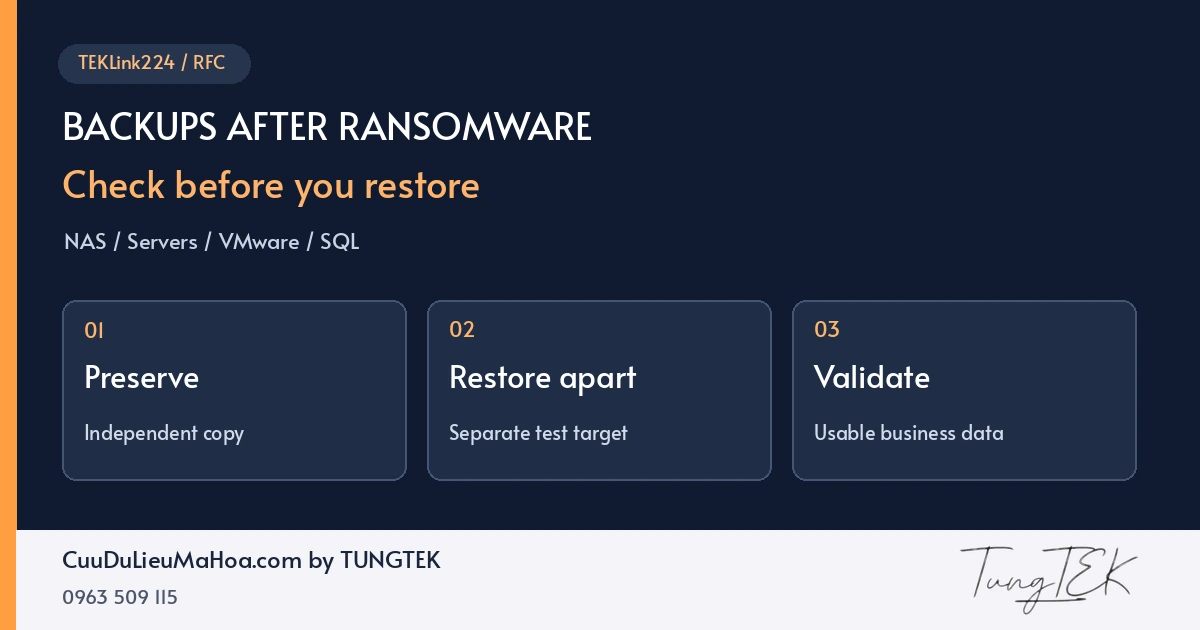
Ransomware has disrupted the NAS or server, yet the backup folder is still visible. With work at a standstill, restoring immediately is an understandable reaction. But the existence of backup files does not establish that they can safely return the business to operation.
At CuuDuLieuMaHoa.com, I approach the decision in order: which sources can be preserved, which recovery point is suitable, and how will the recovered data be tested? This TEKLink224 guide helps IT teams answer those questions before changing an affected system.
1. Inventory remaining backups before choosing a recovery method
Go beyond asking whether backups exist. Record their location, creation time, accounts with write/delete access, dependencies and the last tested restore. A copy on another NAS still needs assessment if it shares administrative access with the affected system.
| Observed state | Questions to resolve | Next step |
|---|---|---|
| An offline or protected copy remains | Is it readable, which recovery points exist, and are keys and configuration available? | Preserve it, make a working copy and test a separate restore. |
| Backup data exists but the software cannot recognise it | Is the catalogue, configuration or chain incomplete, or is the content damaged? | Keep the complete set; use the product's supported import/check process on a copy. |
| Backup files have changed extensions or altered regions | What format and extent of damage are involved? Are alternative sources available? | Obtain RFC assessment before repair or decryption attempts; retain related files. |
| Only snapshots on the affected device remain | Are they accessible, from which points, and could rollback overwrite evidence? | Assess the storage layer; use a separate destination where supported. |
A missing catalogue does not establish that all content is lost. Visible files do not establish readability either. This table organises checks; it does not predict a recovery outcome.
2. Preserve a source you can return to
Separate trial copies from the source being retained. Record file lists, sizes, times, locations and handover details; use hashes where appropriate to compare copies. Matching hashes establish matching content at the time of comparison, rather than freedom from malware.
For chained or multipart backups, retain the components required by that product's format. Do not keep only the file that looks newest and delete the rest. Preserve available configuration, required keys/certificates and job logs through a safe access channel.
Before changing schedules, replication or retention that could remove older copies, record the configuration and control further impact. If working-copy capacity is insufficient, resolve storage and priorities before starting experiments.
3. Choose a recovery point using the timeline and tests
The time encryption was discovered may differ from the first compromise. A backup taken before discovery can still contain unauthorised changes. Correlate logs, incident scope and checks of the components to be restored. [1]
Hypothetical example: encryption is discovered at 09:00; copies from 08:30 and 23:00 the previous day remain. The 08:30 copy is newer, but may already include attacker changes. The 23:00 copy also needs assessment, along with reconciliation of later transactions. This illustrates a decision, not a customer case.
Record the chosen point, rationale, evidence checked and remaining uncertainty. If an older version is used, agree how later records will be reconciled rather than silently treating that version as the current complete dataset.
4. Test the restore in a separate environment
Prepare a separate destination, trusted accounts, sufficient capacity and compatible software. Restrict the test environment's connectivity to affected networks and live services. Prevent restored applications or VMs from automatically sending email, running jobs or writing real transactions.
A separate destination must avoid overwriting sources still needed for recovery. Restoring a VM into the datastore under investigation or writing recovered files back to the original NAS pool may change evidence and remaining data. CISA recommends prioritising critical services and avoiding reinfection during recovery. [1]
Validating data in a test environment is only part of the work. Address the entry point, affected access and service dependencies before returning to operation.
5. Check the right data layer: NAS, virtual machines and SQL
Synology, QNAP and iSCSI LUNs
Inventory shared folders, access permissions, application data and LUNs covered by the backup. If a LUN contains a VM datastore, seeing the LUN verifies only the outer layer. Validate the content in a suitable environment. A few readable documents cannot represent every folder and application.
VMware ESXi, Hyper-V and servers
Check the virtual disks, configuration and components needed by the recovery set. Then test services, sign-in and important workflows. A booted operating system does not establish database consistency or correct scheduled-job behaviour.
Microsoft SQL Server
Identify the full backup, a matching differential if used, and the required log chain for the recovery model and target point. Keep the certificates/keys required by TDE or other applicable encryption. Refer to Microsoft's restore sequence [3] and encrypted-database restore prerequisites [4].
RESTORE VERIFYONLY checks a backup set; it does not replace an actual restore or verify the structure of the backed-up data. After restoring, the DBA should perform appropriate consistency checks, such as DBCC CHECKDB, and validate business data with the application owner. [2] [3]
Keep backup validation distinct from direct MDF/LDF repair. For affected source files, see the separate guide to RFC and MDF/LDF extraction after ransomware.
6. Accept the result through data and business checks
Agree acceptance criteria with the people who use the data before large-scale restoration. Adapt this record to your organisation; it is a template, rather than a TUNGTEK assessment of your systems.
| Area | Evidence to record | People to confirm |
|---|---|---|
| Data coverage | Recovered inventory, missing items and the last reconciled data point. | IT and the data owner. |
| Usability | Representative documents, reports, records and agreed workflows tested. | The business process owner. |
| Database and application | Consistency results, remaining errors and business reconciliation. | DBA, software provider and users. |
| Recovery time | Time to retrieve, restore, validate and return the service. | IT and the operational decision-maker. |
| Safe reconnection | Remediation scope, controlled accounts and monitoring conditions. | The incident/security lead. |
RPO is the objective for tolerable data loss measured in time; RTO is the target for restoring a service. Record actual results alongside those objectives. Measuring file-copy speed alone can underestimate disruption by excluding validation and application restart.
7. If backup checks fail, retain the source and assess RFC options
Determine whether the obstacle is access, missing keys, missing components, format damage, encryption or overwrite. Renaming extensions, trying arbitrary repair tools or deleting files to repeat an import can lose additional data.
RFC — Ransomware Fast Check assesses the state, representative samples and alternative sources before selecting a method. Extracting readable regions depends on structure and damage; it is not a general way around sound encryption. A fully encrypted backup without a suitable key or alternative source may be unrecoverable.
To begin, prepare the system type, backup product, timeline, observed errors, previous actions and priority data. Do not send passwords, private keys or whole repositories to a community group. Use the RFC request preparation page and agree the scope and transfer channel before handover.
VIET NAM Backup Day 30.11: share experience from tested restores
Preparing earlier makes these decisions less reactive. TUNGTEK invites IT teams, NAS/server administrators, DBAs and anyone interested to exchange experience in VIET NAM Backup Day 30.11. Start with a concrete question: what did you try to restore, where did it fail, and how should the result be checked?
The group covers backup and recovery for Synology, QNAP, virtual machines, servers, SQL and related platforms. Anonymise system details when sharing lessons; use a separate agreed channel for incident files and assessments. Here, 30.11 follows the community's name and does not establish an official observance.

Read the introductory TEKLink224 guide on Ransomware.VN: preparing backups before an incident. For snapshot architecture and independent copies, see Cloud, snapshots and backups.
Questions about backups after ransomware
Can I restore as soon as all backup files are visible?
Check that the copy is readable, contains the required components and offers a suitable recovery point. Restore to a separate destination, assess security and validate with the application. File names and sizes do not establish that a backup is clean or complete.
Should I choose the newest backup or an older one?
Choose using the incident scope, logs and testing. The newest copy may contain unwanted changes; an older copy may lack transactions. Record why the point was selected and which data needs reconciliation.
Is a successful SQL RESTORE VERIFYONLY enough for acceptance?
No. Microsoft states that VERIFYONLY does not restore a backup or verify the structure of its data. A separate restore, appropriate consistency checks and business testing are still needed.
Can data be extracted from an encrypted backup?
RFC must assess the actual sample and structure. Prospects depend on the format, affected regions, remaining components and alternative sources. Neither file size nor the percentage encrypted gives a recovery rate, and extraction does not inherently defeat sound encryption.
Should incident files be posted in the Backup Day group?
The group is for sharing experience. Contact TUNGTEK separately to agree the recipient, scope and transfer channel for an assessment. Do not post samples, passwords or customer data in the group.
Technical references and scope
Reviewed on 3 November 2026. General guidance for backup assessment and restore testing; it does not establish that a particular copy is clean or confirm an individual recovery outcome.
- CISA / MS-ISAC — #StopRansomware Guide: backup protection, evidence preservation and controlled recovery.
- Microsoft Learn — RESTORE VERIFYONLY: backup verification scope and limitations.
- Microsoft Learn — Complete Database Restores: restore sequences and checks for untrusted databases.
- Microsoft Learn — Restore a Database Backup Using SSMS: prerequisites and relevant keys/certificates.
Tung TEK · CuuDuLieuMaHoa.com by TUNGTEK · TEKLink224. Independently written for post-incident assessment and recovery, following the Backup Day topic on Ransomware.VN. Examples and acceptance tables are guidance templates; implementation requires authority and assessment of the actual system.