

On this page
- A .babyk extension is a reason to investigate, not to rush a decryptor
- Encryption, deletion, overwriting and corruption require different checks
- 1. Isolate the NAS and preserve its current state
- 2. Retain drive order and the known RAID configuration
- 3. Create a verifiable copy and work on that copy
- 4. Examine representative files rather than trusting a family name
- 5. Choose a recovery path by usable data
- When should a NAS enter an RFC assessment?
- Further reading and references
A .babyk extension is a reason to investigate, not to rush a decryptor
The NAS still powers on and the drives appear healthy, but work folders no longer open. Files now end in .babyk and a ransom message is present. I understand why the first instinct is to try a decryption tool immediately.
The more useful first question is: what state is the data in, and could the next action reduce the chances of recovery? A filename extension, a ransom note or a screenshot alone cannot identify the precise variant, key or recovery outcome.
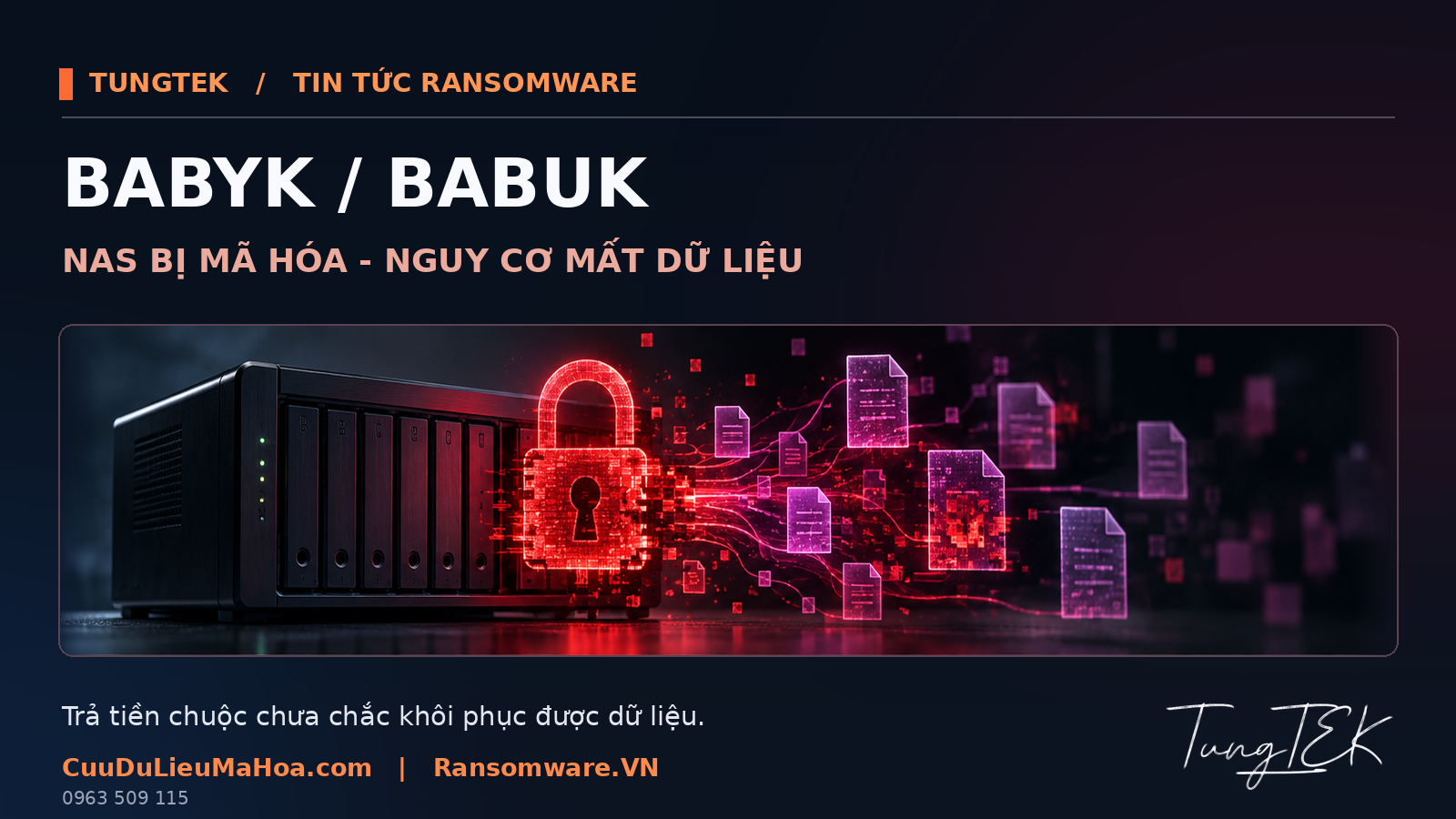
This is a practical response guide based on the supplied TUNGTEK draft and public research. It is not a customer incident report. For the cryptographic branches, file footers and decryptor research, see the detailed Babuk/BabyK analysis on Ransomware.VN.
Encryption, deletion, overwriting and corruption require different checks
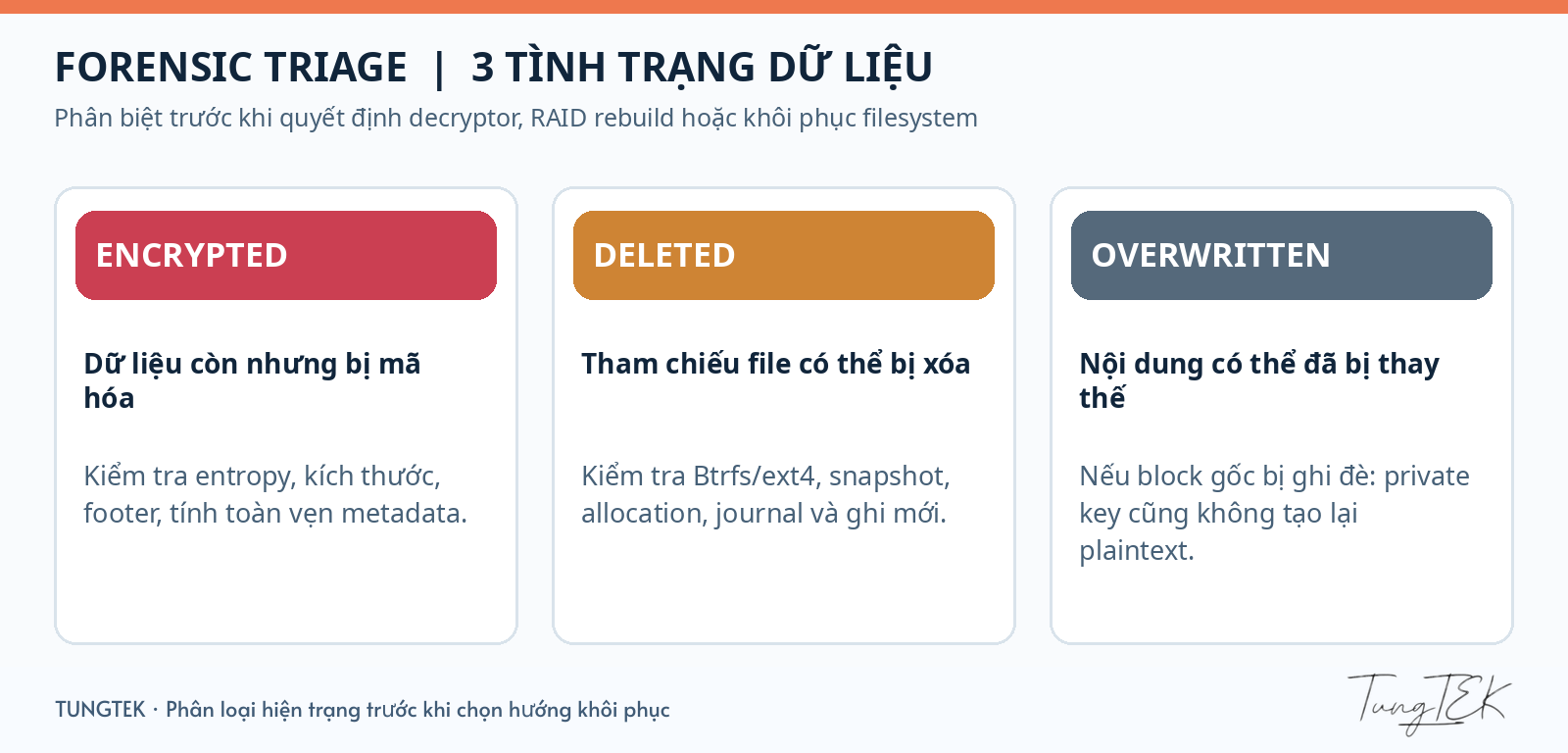
A file that will not open has not necessarily been erased. Equally, a normal filename and file size do not establish that its contents are intact. A NAS investigation needs to consider both storage and file contents.
| State | What it means | What to examine |
|---|---|---|
| Encrypted | Content has been transformed into ciphertext, potentially across all or part of a file. | Format, encryption coverage, metadata/footer and the correct key and compatible tool. |
| Deleted | The file or directory reference is no longer listed; that alone does not prove every underlying byte has disappeared. | Filesystem, snapshots, metadata and remaining blocks, accounting for subsequent writes and device behaviour. |
| Overwritten | Blocks needed for recovery have been replaced by other content, with no corresponding ciphertext or copy remaining. | Identify the affected and surviving regions. A decryption key cannot recreate those lost blocks. |
| Corrupted | A file, volume or storage chain is inconsistent. | Separate drive/RAID/filesystem faults from ransomware, decryptor faults and later actions. |
An important distinction: in-place encryption also changes stored bytes, but valid ciphertext can still be decrypted when the required conditions are met. Destructive overwriting here means that the information needed for recovery has been replaced without a suitable remaining source.
1. Isolate the NAS and preserve its current state
Limit connections that could continue writing, encrypting or spreading the incident. Coordinate isolation of the NAS and suspected hosts with the administrator. Prevent synchronization or backup jobs from propagating a damaged state into otherwise useful copies.
Record discovery time, symptoms, the ransom message and actions already taken. Preserve logs and configuration information when this can be done safely. Do not publish customer files, passwords, keys or internal records while asking others to identify the incident.
Whether to power down depends on ongoing activity, RAID condition and volatile evidence that may need preservation. There is no universal power-cycle procedure. Do not reset the NAS, upgrade firmware, create a new volume or format it as a recovery experiment.
2. Retain drive order and the known RAID configuration
Record each bay position, drive count and capacity, serial numbers when safely available, known RAID level, pool/volume state and NAS warnings. If removal forms part of an agreed plan, label the drives so their original positions remain clear.
Avoid selecting Repair, Rebuild or Initialize, or replacing several drives at once, before the storage state has been established. Rewriting storage structures can affect regions that are still valuable to recovery.
I separate two questions at assessment: is the drive/RAID layer failing, and are the file contents actually encrypted? Both conditions can coexist. Looking only at a .babyk extension misses a significant part of the problem.
3. Create a verifiable copy and work on that copy
Agree on appropriate disk imaging or copying before attempting repair or decryption. The process must suit the device condition; a drive showing physical problems should not be repeatedly scanned merely to obtain a complete file list.
Record the source, time, tools and checksums where appropriate. SHA-256 checks integrity; it is not a decryption key. Read-only access is a preservation measure, not proof that a copy is complete or free of acquisition errors.
Assess snapshots and backups independently: were they created before or after the incident, are they accessible, and were they also affected? A snapshot on the compromised NAS alone is not enough to establish that a safe recovery copy exists.

4. Examine representative files rather than trusting a family name
Choose samples representing the data that matters: documents, images, archives, databases and large files. Compare headers, sizes, modified regions, footers and timestamps. High entropy is a clue, not a conclusion; compressed content can also look highly random.
Kudelski Security describes a Go-based NAS branch among the Babuk versions it studied, with platform-specific cryptographic differences. A tool called “Babuk decryptor” must therefore still match the branch, format and key. This research does not identify the implementation on a particular NAS. [1]
Test verified tools on a small set of copies and retain untouched encrypted files for reassessment. Stop broad testing if results show structural damage, unexpected sizes or errors that cannot be explained.
5. Choose a recovery path by usable data
Healthy backups/snapshots, readable file regions and decryption are separate recovery possibilities. Renaming an extension is not restoration, and a software “Done” message is not an acceptance test.
- SQL Server: check structures, consistency and relevant business records in a test environment.
- Virtual machines: examine the disk/snapshot chain, filesystem and application, rather than one VMDK that happens to mount.
- Documents and archives: validate representative contents instead of relying on an exported filename list.
On 9 January 2024, Cisco Talos announced that recovered Babuk Tortilla keys had been added to Avast's decryptor. This offers a route for variants using the corresponding keys, not guaranteed support for every .babyk file. Use official sources and establish compatibility before testing. [3]
Paying a ransom is not a guaranteed recovery plan. Whether the key matches, whether the tool is safe, and whether sufficient data remains for the application are separate questions. Recovering files also does not establish that they were never copied out of the environment.
When should a NAS enter an RFC assessment?
If the NAS holds production data, a pool/volume will not mount, drives show warnings or important ERP/SQL/VM data is at risk, stop experiments on the only source and discuss preservation with the recovery team.
Useful initial information includes the NAS model, drive count and known RAID configuration, discovery time, changed extensions, snapshot/backup status and actions already taken. Agree on a suitable reception channel before transferring sample data.
RFC — Ransomware Fast Check at TUNGTEK assesses the actual samples and storage state to determine possible extraction paths. Before examining them, there is no sound basis for a success rate, completion time or a claim that everything has been lost.
The most useful early action is to keep the source from deteriorating. Classify the state correctly, test on copies and validate in the real application: that is the route towards usable data.
Further reading and references
Ransomware.VN: Babuk/BabyK research, decryptors and evidence limits. This guide focuses on NAS response decisions and preservation; the linked article provides the deeper technical analysis.
- Kudelski Security — Dissecting and Detecting Babuk ransomware Cryptography · 28 March 2023. Scope: the branches and source code studied.
- Emsisoft — Severe bug in Babuk ransomware decryptor leads to data loss · Historical Babuk ESXi research, not evidence for every NAS variant.
- Cisco Talos — New decryptor for Babuk Tortilla ransomware variant released · 9 January 2024. Known keys do not cover every variant.
Edited on 25 October 2026 from the supplied TUNGTEK draft and public sources. No customer case files, private keys or unverified incident-specific forensic conclusions are published. Images are editorial illustrations, not evidence photographs.